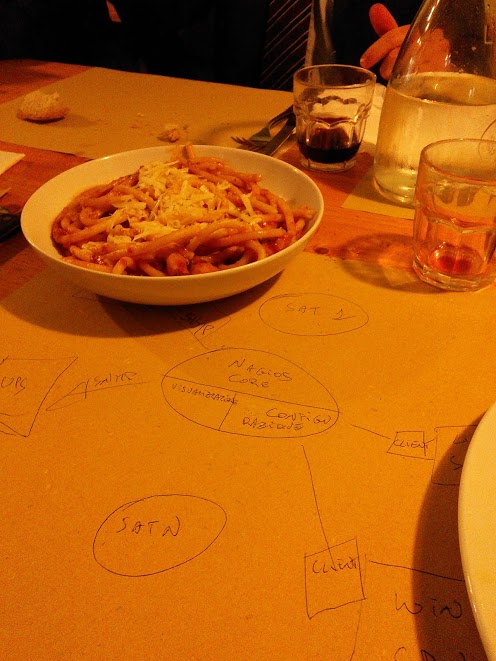
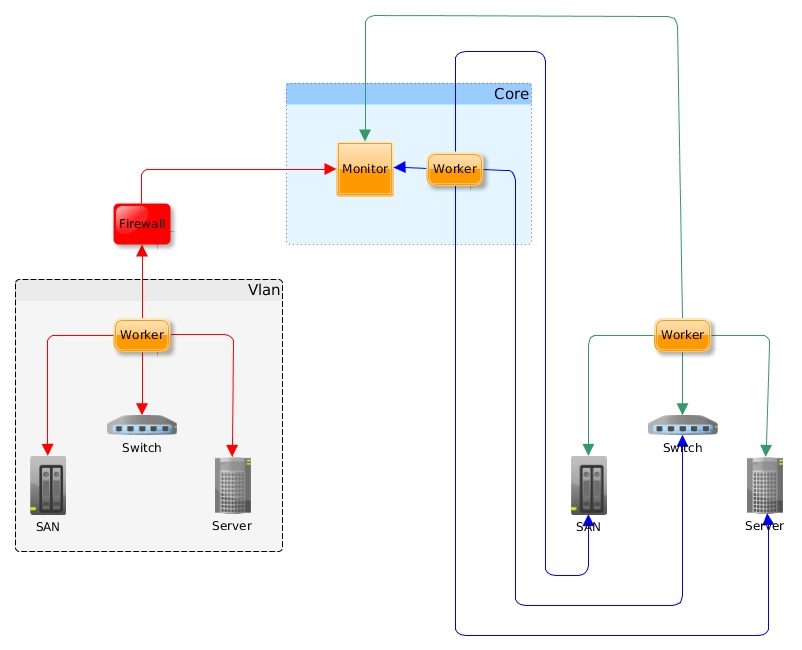
A mod_gearman chart


mod_gearman_diagram


Some thoughs on mod_gearman benefits.

  • It calls back  Gearmand, so it can be fitted in a vlan behind a firewall and you do not have to open any ports towards the vlan;
  • You can have more than one worker to monitor a host or service. They share the load, so you have a round robin balancing and if one faints, the others take all the checks and execute them. So, you have an easy way to  redundancy for the workers.

In this chart I “collapsed” the gearmand daemon under the  “Monitor” box.

send_gearman dirty wrapper

This is just a skeleton. It works but no  checks on input. It’s meant to be run by a cronjob, so, really, input check? 

——————————————————–

#!/bin/bash

# Mod-Gearman Passive Check Wrapper
# (few lines) coded by Giorgio Zarrelli

COMMAND=`$1`
RETURN_CODE=”$?”
SEND_BIN=’/path/to/send_gearman’
SERVER=’gearmand_server_ip:4730′
HOST=”my_passive_host_as_in_nagios”
ENCRYTION=”yes”
KEY=’my_secret_key’
SERVICE=”$2″

$SEND_BIN –server=”$SERVER” –encryption=”$ENCRYPTION” –key=”$KEY” –host=”$HOST” –service=”$SERVICE” –message=”$COMMAND” –returncode=”$RETURN_CODE”

So:

./send_gearman.sh “/path/to/nagios/plugins/libexec/check_users -w 1 -c 5” check-users

LDAP SSO on Linux – Used for GLPI

Note to myself:

apache-logo

# This configuration file allows the manual to be accessed at
# http://localhost/manual/
#
#Loglevel debug
KeepAlive On

Alias /glpi “/var/www/glpi”

<Directory “/var/www/glpi”>

PerlAuthenHandler Apache2::AuthenNTLM
AuthType ntlm,basic
AuthName Access
require valid-user
PerlAddVar ntdomain “DOMAIN PDO  BDO”
PerlSetVar defaultdomain DOMAIN
PerlSetVar splitdomainprefix 1
PerlSetVar ntlmdebug 0
PerlSetVar ntlmauthoritative off

# Uncomment following to force use of HTTPS in Administration Server

#SSLRequireSSL

# PHP tuning (not working on all distribution, use php.ini instead)
AddType application/x-httpd-php .php
php_flag file_uploads on
# Some PHP tuning for deployement feature up to 8 MB
# post_max_size must be greater than upload_max_filesize
# because of HTTP headers
php_value post_max_size 9m
php_value upload_max_filesize 8m
# You may have to uncomment following on errors
#php_value max_execution_time -1
#php_value max_input_time -1

# Uncomment following to allow HTTP body request up to 4 MB
# instead default 512 KB
#LimitRequestBody 4194304

</Directory>

Install Apache2::AuthenNTLM Perl module. In Debian just type:

aptitude install libapache2-authenntlm-perl

Remember to enable ntlm authentication on Windows machines. Not all versions (xp does), have it enabled.

Libnodave on Linux 64 bit

Note to myself.

Put these lines in the Makefile and then run “make”:

CFLAGS=-m64 -Wall -Winline -DLINUX -DDAVE_LITTLE_ENDIAN -fPIC
CTFLAGS=-m64 -Wall -Winline -fPID -DLINUX -DDAVE_LITTLE_ENDIAN -fPIC
CPPFLAGS=-m64 -Wall -Winline -DLINUX -DDAVE_LITTLE_ENDIAN -fPIC

Then:

cp libnodave.so  /usr/lib64/

cp nodave.h /usr/include

ldconfig